Upload Your Game to Y8

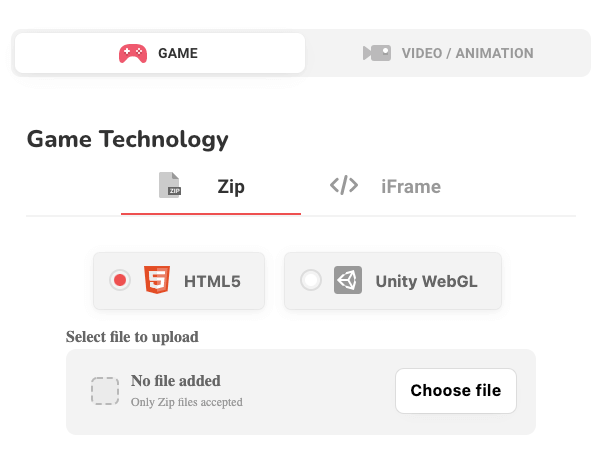
Upload your HTML5 and WebGL games and earn money through in-game ads. You can upload a game without a studio. A studio is required only for monetization.

Y8でコンテンツを配信する方法
自分が作成した、自分がスポンサーになっている、または自分が配信権を持っているゲーム、動画、アニメーションのみをアップロードしてください。
  • プレーヤーがログインする必要があるゲームでは、Y8のアカウントログインシステム を使用する必要があります。.
  • 過剰な広告はおやめください (外部リンクは最小限に抑えてください)
  • 誤解を招くリンクはおやめください (アニメーションサムネイル、誤った再生ボタン、その他の扱いにくいゲームボタン)
  • 広告ポップアップやオーバーレイはおやめください

以下によって、ゲームがY8に掲載される可能性が高まります::
  • 良質でクリーンなコンテンツを提供
  • ゲームに Y8ロゴ を追加しています.

許可されていないコンテンツ:
  • 有害なコンテンツ (暴力的、スパム、誤解を招くもの、詐欺、憎悪を煽るもの)
  • ヌードまたは性的なコンテンツ
  • ギャンブルコンテンツ
広告収益パートナーシップに参加する
Y8.comの広告パートナーシップに参加することであなたのゲームから稼ぎましょう!
もっと詳しく見る
How does monetization work
  1. Upload your game Upload your HTML5 and WebGL game for review.
  2. Game approval If your game meets our guidelines, it will be approved and published on Y8.
  3. Create your studio

    Create a studio from here: https://ja.y8.com/studios.

  4. Contact Y8 support to enable revenue share From your studio page, find the Y8 support email and contact us.

    Share your published game name and studio name.

  5. AdSense for platform (AFP) access The Y8 team will review your request and enable AdSense for platform if everything is in order.
  6. Sign up for AFP Once enabled, apply for AFP from your studio page.
  7. Start earning After Google approves your AdSense account, you can add in-game ads and start earning.
  8. Future games earn faster After this setup, your next approved games can start earning immediately.

Note: AFP access will only be enabled after your first game is approved. This helps us protect the revenue share system from misuse and keep things fair for everyone.